Laptops & Computers
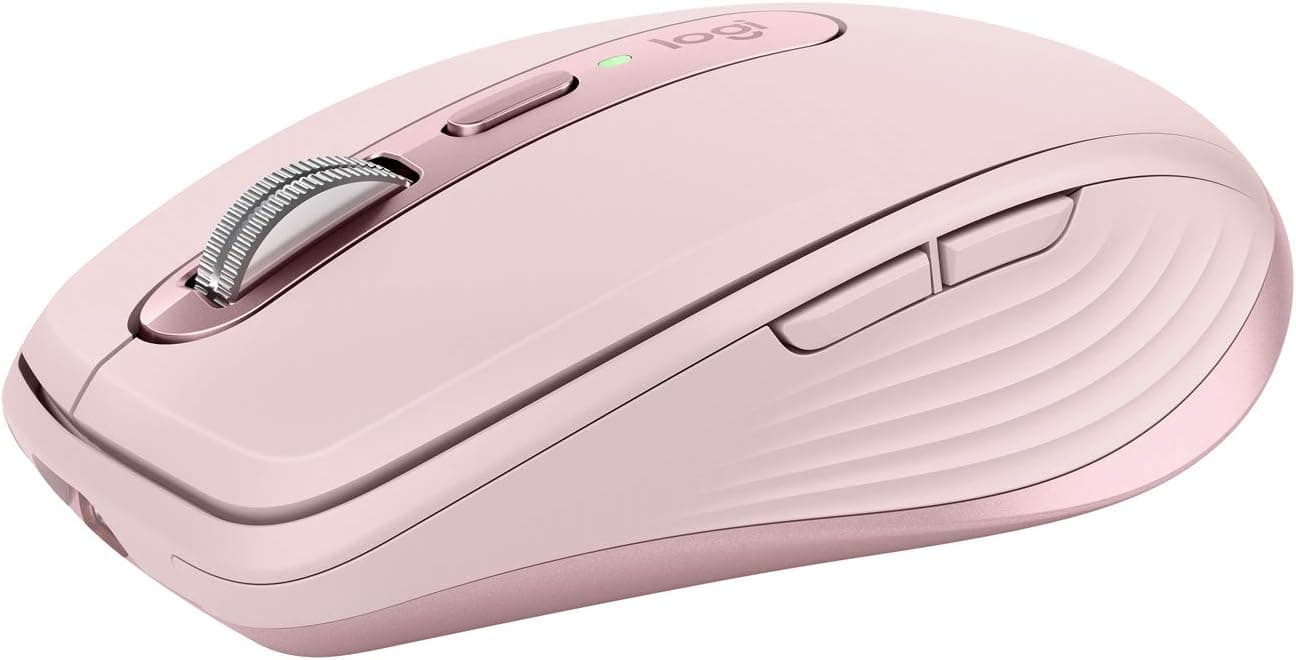
Logitech MX Master 3S Review: The Mouse That Justifies a Premium Price for Daily Computer Use
- Brand:
- Logitech
- Ages:
- 13+ years
- Updated:
- 2026-07-06
The verdict
Worth the premium price specifically for people who use a computer mouse for hours daily — the scroll wheel and ergonomics genuinely earn their keep at that usage level, less so for occasional use.
Pros
- Electromagnetic MagSpeed scroll wheel genuinely improves fast scrolling through long documents and spreadsheets
- Quiet-click buttons are a meaningful improvement over standard clicky mice for shared or office spaces
- Multi-device Bluetooth switching lets it pair with up to three computers and swap with one button press
- Sculpted ergonomic shape reduces wrist strain during extended daily use, per consistent long-term owner feedback
Cons
- Premium price relative to basic wireless mice, which won't appeal to casual or occasional users
- Shape is specifically right-hand ergonomic, with no left-handed version available
This review is based on Logitech's published MX Master 3S specifications and the consistent pattern in long-term owner feedback: strong, repeated praise for the scroll wheel and ergonomic comfort specifically during heavy daily use, which is where this mouse's premium price is actually earned.
The scroll wheel is the actual headline feature
MagSpeed's electromagnetic scrolling can spin freely for fast document navigation or engage a precise ratchet for fine control, switching automatically based on scroll speed — a genuinely useful distinction from standard mechanical scroll wheels that buyers consistently call out as the reason they don't go back to cheaper mice.
Who it's for
Best for anyone using a computer mouse for multiple hours daily, especially with spreadsheets or long documents — a poor value for occasional or casual users better served by a basic wireless mouse.
Frequently asked
- Does it work with multiple computers?
- Yes — it pairs with up to three devices via Bluetooth or Logitech's USB receiver and switches between them with a single button press, genuinely useful for multi-computer setups.
- Is there a left-handed version?
- No — the MX Master 3S's ergonomic shape is specifically designed for right-hand use, with no official left-handed variant.
You might also like
Laptops & Computers
TS4 Thunderbolt 4 Dock
CalDigit · Ages 13+ years
- 18 total ports on one dock, including three Thunderbolt 4 ports, eight USB ports at full 10Gb/s speed, SD and microSD card readers, and 2.5GbE Ethernet
- Can drive up to two 6K, 60Hz external displays through its Thunderbolt 4 ports, or a single 1440p display at up to 240Hz
- At $399.99, it's priced well above basic USB-C hubs and even many competing Thunderbolt docks
Laptops & Computers
Brio 4K
Logitech · Ages 13+ years
- 4K resolution capture at up to 30fps, with smooth 1080p available at up to 60fps for video calls
- RightLight 3 automatic light correction noticeably improves image quality in dim or backlit rooms compared to built-in laptop webcams
- Priced well above typical 1080p webcams, and the gap has narrowed as competitors release capable 4K alternatives
Laptops & Computers
MX Keys S
Logitech · Ages 13+ years
- Typing feel is consistently praised across reviews as among the best in a low-profile wireless keyboard
- Switches between three devices over Bluetooth or the included 2.4GHz receiver, useful for anyone working across a laptop, desktop, and tablet
- The matching palm/wrist rest is sold separately as a $19.99 add-on rather than included
Buy from Amazon