Laptops & Computers
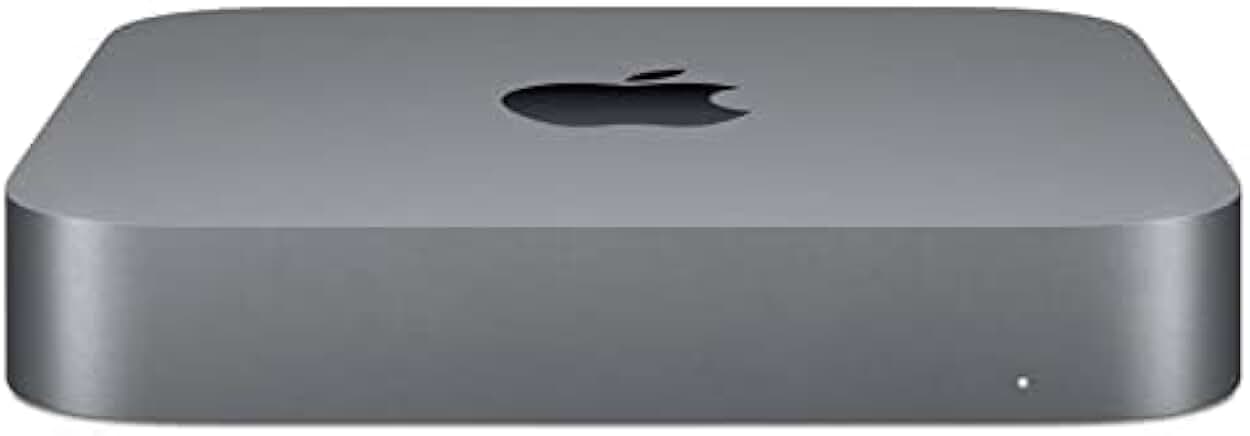
Mac Mini M2 Review: The Cheapest Real Way Into the Apple Ecosystem
- Brand:
- Apple
- Ages:
- 13+ years
- Updated:
- 2026-07-06
The verdict
Excellent value specifically as an entry point into Apple's desktop ecosystem — budget for peripherals and storage separately, since the base price is genuinely just the computer itself.
Pros
- Lowest-priced way into Apple's M-series performance and macOS ecosystem by a meaningful margin
- Compact footprint fits easily into any desk setup without dominating the space
- M2 chip handles mainstream desktop productivity and light creative work smoothly
- Genuinely quiet operation even under moderate sustained load
Cons
- No included keyboard, mouse, or display — the advertised price doesn't reflect the real total cost of a usable setup
- Base storage configuration is limiting for anyone working with large media libraries
This review is based on Apple's published Mac Mini M2 specifications and the consistent pattern in buyer feedback: strong praise for price-to-performance specifically within the Apple ecosystem, with the need for separate peripherals as the most common first-time buyer surprise.
The advertised price is genuinely just the computer
Unlike a laptop, this is a bare desktop unit — no screen, keyboard, mouse, or webcam included. First-time Mac Mini buyers consistently underestimate this and are surprised by the real total setup cost, which is worth budgeting for honestly before comparing the sticker price to a laptop.
Who it's for
A strong entry point for anyone wanting Apple's ecosystem and M-series performance at the lowest possible price, provided they already have or are budgeting for a monitor, keyboard, and mouse.
Frequently asked
- Does it come with a monitor, keyboard, or mouse?
- No — it's a bare desktop unit. Budget separately for a display, keyboard, and mouse, which meaningfully changes the real total setup cost versus a laptop's advertised price.
- Is it good enough for everyday use?
- Yes, for mainstream productivity, browsing, and light creative work — it's not designed for sustained heavy compute tasks, where the Mac Studio or Mac Pro are better suited.
You might also like
Laptops & Computers
TS4 Thunderbolt 4 Dock
CalDigit · Ages 13+ years
- 18 total ports on one dock, including three Thunderbolt 4 ports, eight USB ports at full 10Gb/s speed, SD and microSD card readers, and 2.5GbE Ethernet
- Can drive up to two 6K, 60Hz external displays through its Thunderbolt 4 ports, or a single 1440p display at up to 240Hz
- At $399.99, it's priced well above basic USB-C hubs and even many competing Thunderbolt docks
Laptops & Computers
Brio 4K
Logitech · Ages 13+ years
- 4K resolution capture at up to 30fps, with smooth 1080p available at up to 60fps for video calls
- RightLight 3 automatic light correction noticeably improves image quality in dim or backlit rooms compared to built-in laptop webcams
- Priced well above typical 1080p webcams, and the gap has narrowed as competitors release capable 4K alternatives
Laptops & Computers
MX Keys S
Logitech · Ages 13+ years
- Typing feel is consistently praised across reviews as among the best in a low-profile wireless keyboard
- Switches between three devices over Bluetooth or the included 2.4GHz receiver, useful for anyone working across a laptop, desktop, and tablet
- The matching palm/wrist rest is sold separately as a $19.99 add-on rather than included
Buy from Amazon